What changes beyond your class?
WoW Forever systems affect how you explore, prepare and return on another character. Blizzard’s official game page introduces Legacy account-wide benefits, Camping, and updates to professions and Honor. The September 23 Legacy guide now gives a detailed launch plan for challenges, perks and rewards.
Use the announced rules below to plan your character, then check the options available in your current client.
Legacy: how points and perks work
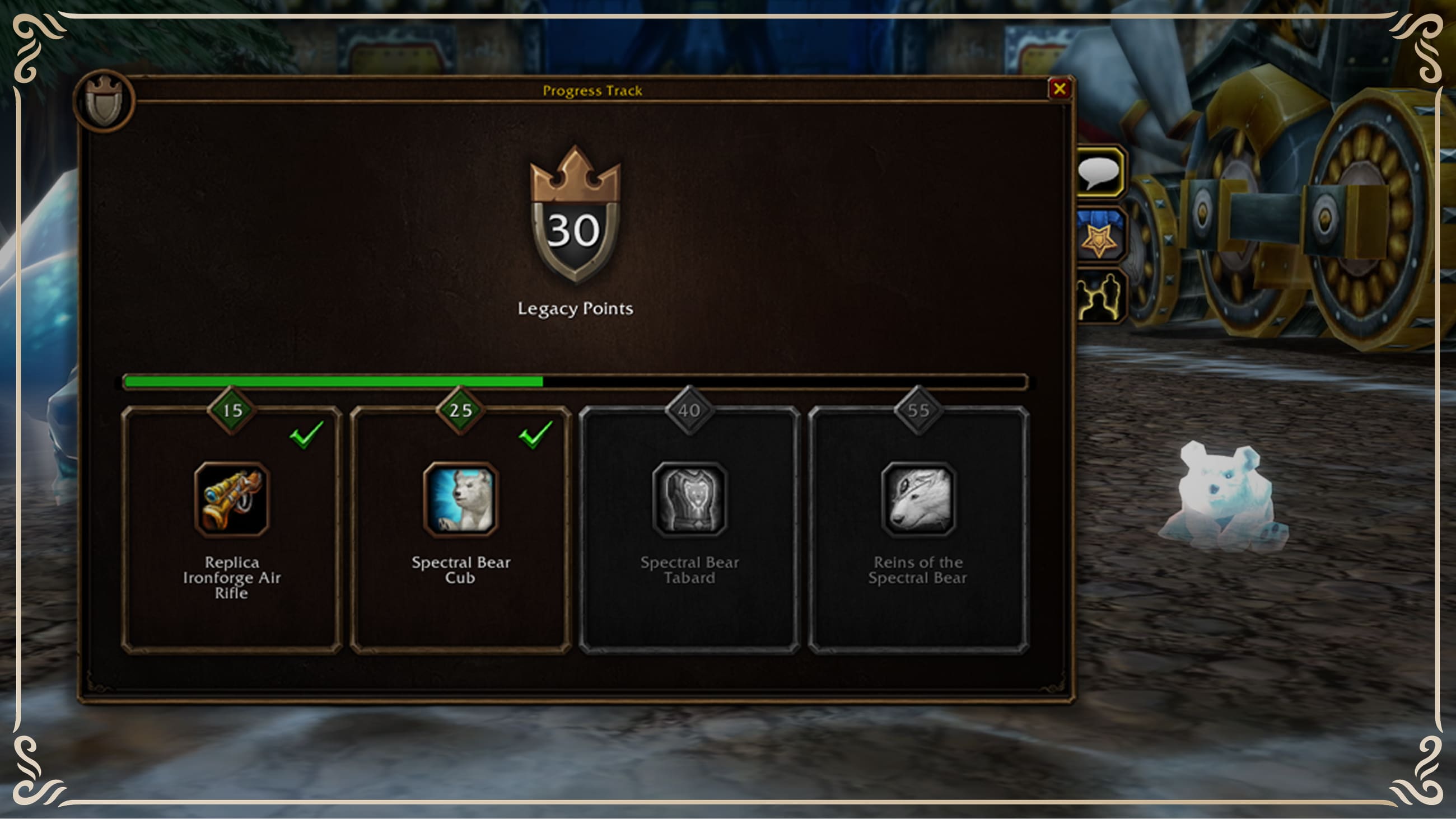
Official Legacy promotional image · © Blizzard Entertainment. Original game page, checked September 13. Visible reward thresholds belong to a preview image and are not a verified final reward schedule.
Legacy is account-wide progress with character-specific spending. Blizzard lists 65 challenges; each completed challenge grants one Legacy Point shared by your non-Hardcore characters. Each character can independently invest up to 16 points at launch, even if the account has earned more. You do not need alts to reach that cap: Blizzard calculates that a single character can earn as many as 29 points through its available activities. Read the official breakdown.
The system opens when you earn your first point. Blizzard says that will commonly happen at level 25, but reaching 150 in a non-gathering primary tradeskill or exploring the entire world map can also do it. These are launch-system rules; launch timing and the December 9 raid unlock are in our launch guide.
| Challenge group | Points | Examples from Blizzard's launch guide |
|---|---|---|
| Classes | 27 | Reach levels 25, 45 and 60 on each of the nine classes. |
| Tradeskills | 18 | Reach 150, 225 and 300 in each non-gathering primary profession. |
| PvP | 12 | Honor ranks, Battleground reputations and Field of Honor milestones. |
| Adventure | 2 | Explore the world on one character; complete the Lord Valthalak dungeon set questline. |
| Dungeons and raids | 6 | Three dungeon level bands, Onyxia, Hyjal Summit and Barrow Deeps. |
Which perks would help your character? The three trees are Professions, Adventure and Resourcefulness. The official examples include Working Overtime for tradeskill skill-ups, Well Rested for rested experience, Field Guide for a shorter camping-feature cooldown, and The Quick and the Dead for faster corpse runs and cheaper post-resurrection group buffs. Match a perk to how you actually play; a point limit does not imply one universal best route.
Accumulated account points also unlock cosmetic rewards. Blizzard lists a toy, pet, tabard and mount for launch, with additions planned for later content updates. Hardcore follows a different ledger: non-Hardcore challenges do not carry into Hardcore, while a challenge completed in Hardcore also grants it outside Hardcore. Blizzard says 12 Hardcore-specific challenges will replace PvP challenges when that ruleset arrives after launch. These are Blizzard’s announced launch rules.
Early professions: choose the item you want to make
In a test profession discussion on Reddit, players describe different reasons for pairing a gathering and crafting profession. One warrior reports useful self-crafted gear from mining and blacksmithing; another player likes herbalism and alchemy for potions; a third notes the bag-space cost of carrying herbs and potions. These are personal reports at early levels, not a verified ranking.
| Your immediate goal | Pair to inspect | First check in your client |
|---|---|---|
| Make equipment for your character | Mining + blacksmithing, or skinning + leatherworking if the available recipes suit your armor | Read the trainer’s current recipes, required materials, binding rule and item tooltip. Compare the crafted item with what you actually wear. |
| Make consumables for solo play | Herbalism + alchemy | Check which recipe and ingredients you can access now, then whether the effect helps your character enough to justify the bag slots. |
| Explore with friends | One profession that contributes an object to Camping | Ask what the group can make and confirm the campsite effect in the current build. |
Blizzard has announced profession updates, but it has not established a universal “best leveling pair” in this source. Before spending scarce materials, inspect the recipe and your next few levels of likely use. Save a quick note of recipe source, skill requirement, material cost and actual benefit; test balance and prices can change.
Camping: a place to prepare together
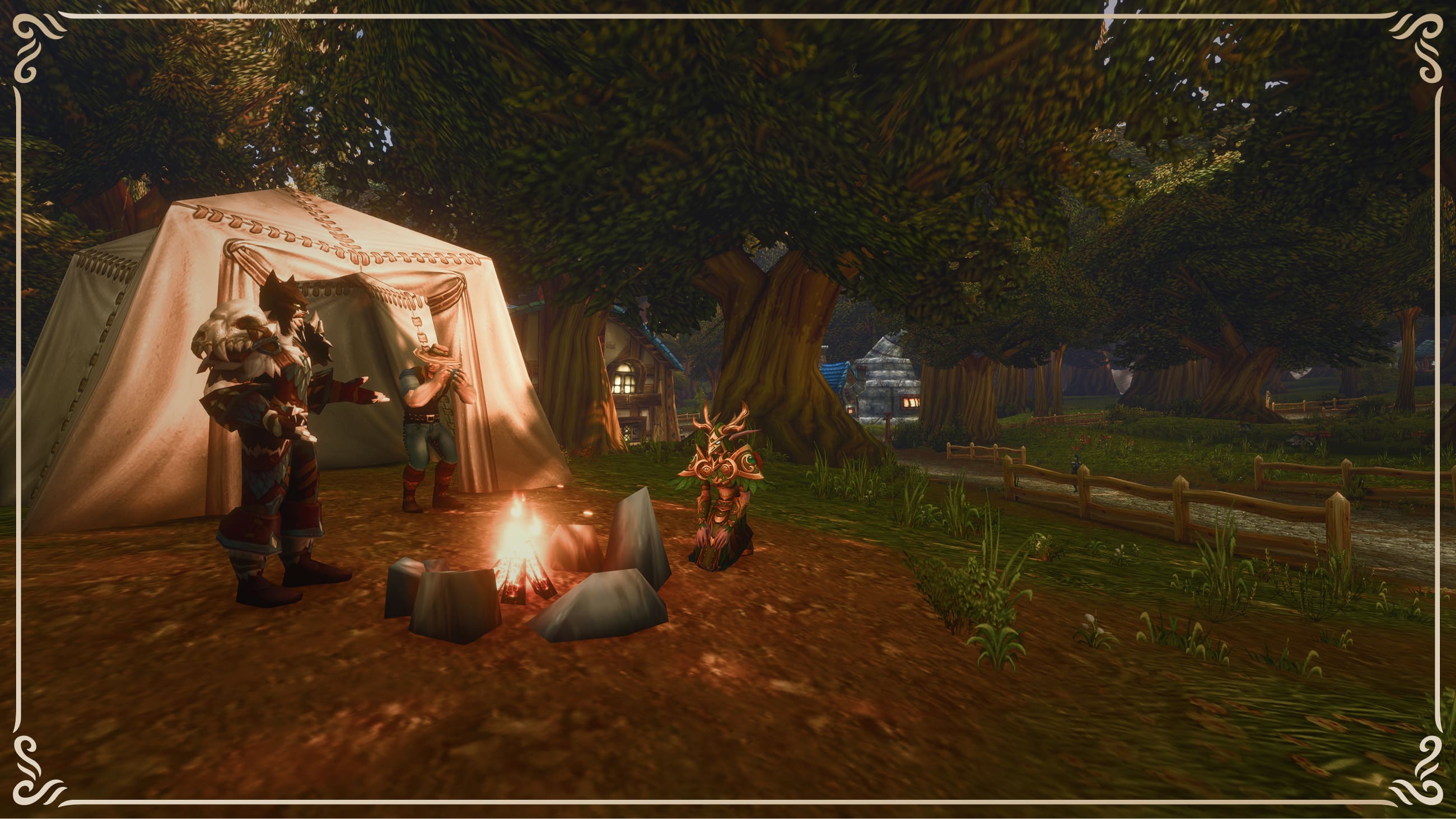
Official systems promotional image · © Blizzard Entertainment. Original game page, checked September 13.
Blizzard’s panel recap describes outdoor campfires, profession contributions and shared campsite buffs. For a group heading toward a dungeon, that suggests a preparation activity to investigate together.
Official update: basic camps accept three crafted objects, one per contributor. Resting grants one-hour buffs; upgraded campfires expand capacity. Deep Dive recap.
Record your profession, materials, placement and observed buff. Keep buff duration separate from an object’s cooldown. This guide does not yet provide an optimal profession combination or a complete recipe database.
Visuals and controls: separate the toggles
The official recap announces opt-in transmog, Classic and modern visual presets, HD and SD character models, Classic animations on HD models, and gamepad support. These are distinct choices: changing a model setting does not necessarily change how another player’s outfit appears.
Start by trying the combination that matches how you prefer to play. With a controller, check target selection, interaction and opening bags as well as combat bindings. Gamepad support is not an announcement of a console release; the game page lists Windows and Mac.
Transmog update: disable it at a transmogrifier; Classic Mode starts disabled. Appearance collection continues while disabled. Official details.
Agree on a ruleset before inviting friends
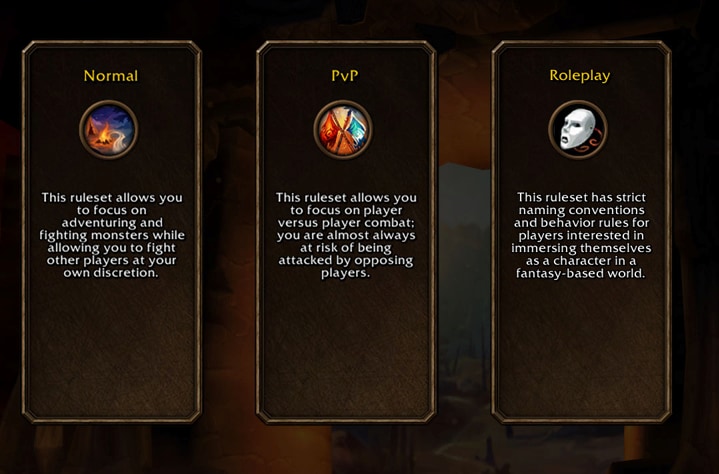
Official preview interface · © Blizzard Entertainment. Original recap, checked September 14.
Choose Normal, PvP or Roleplaying; Hardcore follows later. Grouping requires matching rulesets and factions. Official grouping rules.
Write down those two choices with your friends, then check account region and invitation availability. Removing the traditional realm-name decision does not establish unrestricted play across every region and ruleset.
What community feature lists leave unsettled
The community feature discussion is useful for finding questions about convenience. Its title uses “confirmed,” but the post and its comments are still community material. Check Blizzard’s announcements for confirmed rules.
| Topic | Status in our checked sources | Useful next check |
|---|---|---|
| Dungeon group finding | Exact queue and teleport behavior not established here | Group listing, automatic matching and transport are separate functions |
| Quest helper and area looting | Community reports; not independently checked in the client | Look for the actual setting and observe its effect |
| Hardcore | On the official roadmap; precise date not established in the recap | Look for a dated Blizzard announcement rather than inferring a launch window |
| Transmog setup | Official disabling and collection rules added above | Check the settings and equipped appearance in the actual client |
This makes a practical testing list without turning secondhand remarks into instructions. The community FAQ covers the access and character questions around these systems. For the places to try them, open the world guide.
Preview watch: warnings before a world refresh
Icy Veins’ Hardcore-panel report describes a countdown before a layer refresh and an option to move earlier after reaching safety. The report describes a panel demonstration. The news brief links the report and community questions.
Do not infer unlimited postponement, combat immunity or a particular layer-hopping cooldown. Move to a safe place before using the early-transfer option; the countdown does not provide combat immunity.
Equipment and interface tools
The September 15 developer interview adds equipment-discovery and interface plans; our brief separates those remarks from tested availability.
For an equipment choice, compare the attributes on the item with the attacks or healing your character actually uses. For an interface problem, begin with built-in controls and add a specific addon only if it supplies a function you need.
Group loot and the economy
According to GamesRadar’s account, senior game designer Josh Greenfield said in the World of Warcraft Developer Q&A that GDKP will not be allowed in WoW Forever. GamesRadar’s attributed summary connects the decision to three concerns raised in the Q&A: preserving social group structures, avoiding a high gold barrier for newer players and limiting an avenue for illicit gold.
| What is established | Details not specified in the announcement |
|---|---|
| GDKP will not be allowed in Forever | The complete enforcement and penalty policy |
| The team says the economy will be actively monitored | Which signals, thresholds or review process will be used |
| The rationale includes access for players without large gold reserves | How every other player-run loot arrangement will be classified |
For a guild or pickup group, agree on a loot method before the run and write the rule in plain language. Do not advertise a gold-auction run while assuming the absence of a published penalty table makes it permitted. Check a future official policy page for enforcement details rather than treating a media headline as the whole rulebook.
September 21 ruleset clarification
The new ruleset decision guide covers Blizzard’s latest grouping and character-creation explanation, with practical examples and the online-language menu path. Read it before choosing characters with friends; the earlier reveal image above is retained as dated preview material.